In short
Switching from CapCut to Premiere Pro costs US$22.99 a month (annual plan, billed monthly). Plan to move media, not projects: CapCut's help centre documents no way to open its projects in Premiere. You gain long-form editing, plugins and client review. Captions, pause removal and vertical reframe all exist natively in Premiere.
In this article · 8 sections
I build a Premiere plugin, so this page also says when to stay on CapCut.
Prices and menu paths come from each company's own pages, read on 29 September 2026.
Should you switch from CapCut to Premiere Pro?
It depends on the videos you make, not on which app is "better".
you make short-form, alone, often from your phone.
you cut long-form, work for clients, or want plugins.
CapCut's own pitch is reach.
It says it has "hundreds of millions of users each month" and over a billion downloads1.
Premiere's pitch is depth: long projects, review in Frame.io, and third-party extensions.
What does each one cost in 2026?
List prices from each official page, read on 29 September 2026.
| Plan | Price | What you get |
|---|---|---|
| CapCut Standard | Free | Cutting, filters, transitions, text, stickers; 8K export |
| CapCut Pro | $19.99/month, or $179.99/year | Advanced AI tools, premium templates, about 1 TB of cloud storage |
| Premiere Pro, single app | US$22.99/month, annual plan billed monthly | 100 GB of storage, 25 generative credits a month, Frame.io, Adobe Express Premium |
| Premiere on iPhone and Android | Free app | Mobile editing; generative features use paid Firefly credits |

CapCut says Pro pricing varies by region, platform, taxes and promotions.
Premiere's desktop trial lasts 7 days, then converts to a paid plan unless you cancel.
What you keep and what you lose
The switch is mostly about files and habits.
- Plan to leave your CapCut project files behind. CapCut's help centre says it "does not support direct importing or exporting of project files from third-party editing software, including Adobe Premiere Pro"4. If your version offers an XML export, test it on a copy: CapCut's own pages do not document one.
- You keep your media and your exports. CapCut's help lists two workarounds for the reverse move, and they work here too: a rendered video, or a rebuild from the original files.
- You keep mobile editing, partly. Premiere's app is free on iPhone and Android; only the iPhone app sends projects to the desktop, with a subscription3.
- You swap template libraries. CapCut's templates stay in CapCut; the Premiere plan adds Adobe Express Premium.
- You gain an extension ecosystem. Plugins add panels inside Premiere; ours opens from
Window > Extensions. - You gain client review. Frame.io comes with the Premiere plan.
After Effects is not in the single-app plan. It comes with Creative Cloud Pro, a larger plan.
Your CapCut reflexes, in Premiere Pro
Four things CapCut users reach for first, and where they live in Premiere.
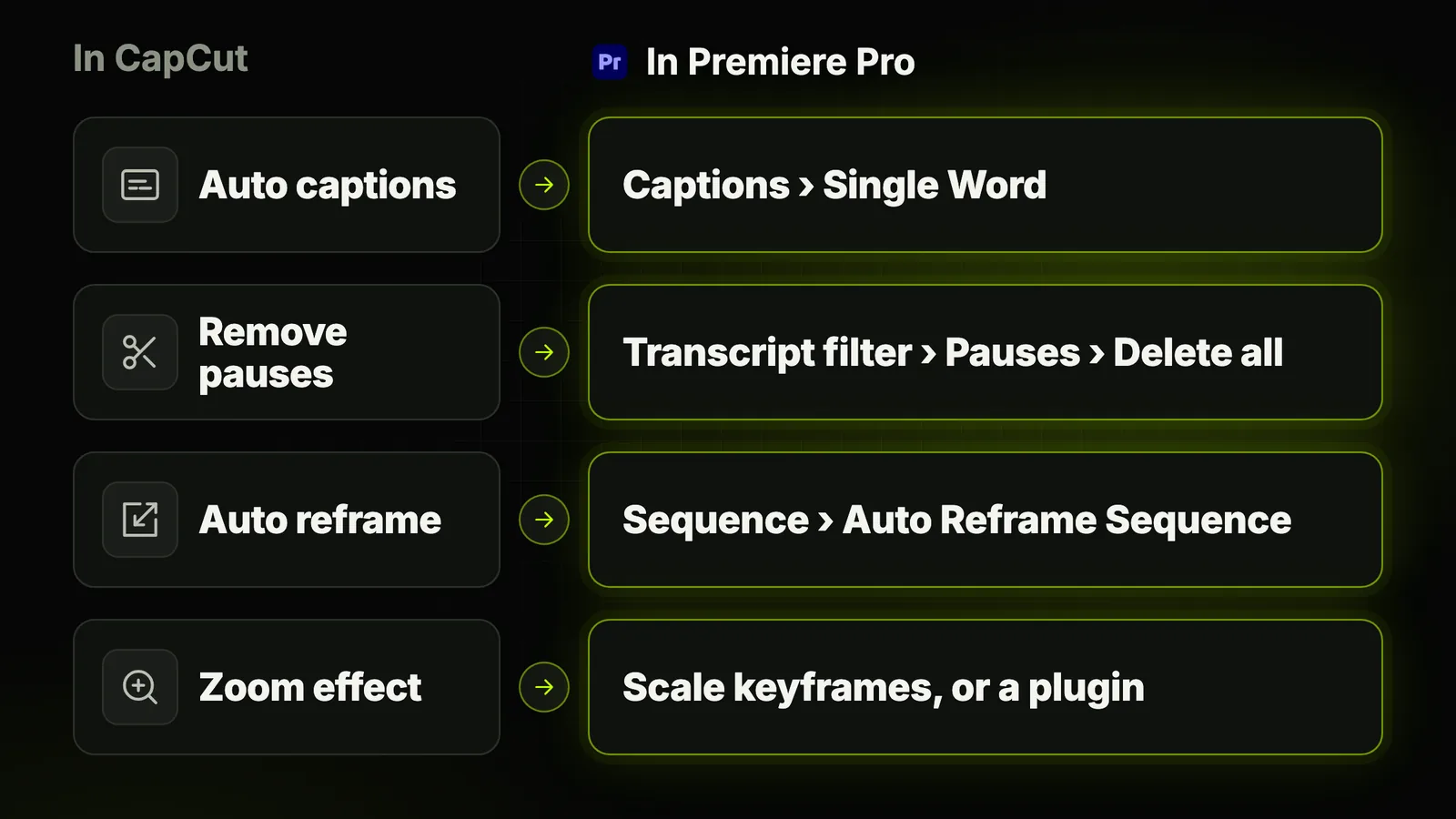
Auto captions → Single Word captions
In CapCut desktop: the Captions panel, then Auto captions5.
Free or Pro? Its Standard vs Pro page says Pro; its caption tool page says free6.
In Premiere, since 26.37:
- Workspace.
Window > Workspaces > Captions and Graphics - Transcribe. Text panel,
Transcribe sequence - Create. Captions tab,
Create captions from transcript - One word at a time. Captioning Preferences, Layout:
Single Word
What Premiere will not do: animate each word, as CapCut's caption styles can. That takes a plugin.
The plugin options are compared in the best caption plugins for Premiere Pro.
51% of Americans watch with subtitles most of the time, per Preply8.
Pauses and "ums" → the Transcript panel filter
In CapCut desktop, the "Remove filler words" menu offers pauses and filler words9.
That guide says the feature needs Pro. CapCut's tool page says its trial covers it5.
In Premiere, Text-Based Editing does it at no extra cost10:
- Open the transcript. Text-Based Editing workspace, Transcript tab; transcribe if needed.
- Open the filter. The funnel icon in the Transcript panel.
- Select Pauses, then
Delete all. Repeat with Filler words.
The limit: it reads the transcript, not the audio level. No decibel threshold, no padding.
The full method, and when a plugin does better, is in removing silences in Premiere Pro.
Vertical reframe → Auto Reframe Sequence
In CapCut: select the clip, open Video in the right panel, turn on Auto reframe, pick the ratio, Apply11.
CapCut notes the feature is "available in specific regions".
In Premiere, Auto Reframe works on a whole sequence12:
- Select the sequence in the Project panel.
- Open
Sequence > Auto Reframe Sequence. - Choose the Target Aspect Ratio, such as vertical 9:16 for Shorts, Reels and TikTok.
- Pick a Motion Tracking preset. Adobe suggests Slower Motion for talking-head interviews.
Premiere builds a duplicate sequence in an Auto Reframe Sequences folder. Your original stays as it was.
Zoom-ins → Scale keyframes, or a plugin
In CapCut desktop: Effects, search "Zoom", then drag Optical Zoom or Zoom Lens onto the clip13.
In Premiere, a zoom is the Scale setting, animated with keyframes14:
- Select the clip, then
Window > Effect Controls. - Expand Motion and set a keyframe on Scale where the zoom starts.
- Go a few frames later and raise Scale. Premiere animates between the two.
Nothing in Premiere decides where those zooms should go. By hand, on every key sentence, it is slow.
That is what auto-zoom plugins are for: automatic zoom in Premiere Pro compares the routes.
Where Black Hat Editor Tools fits (it is my plugin)
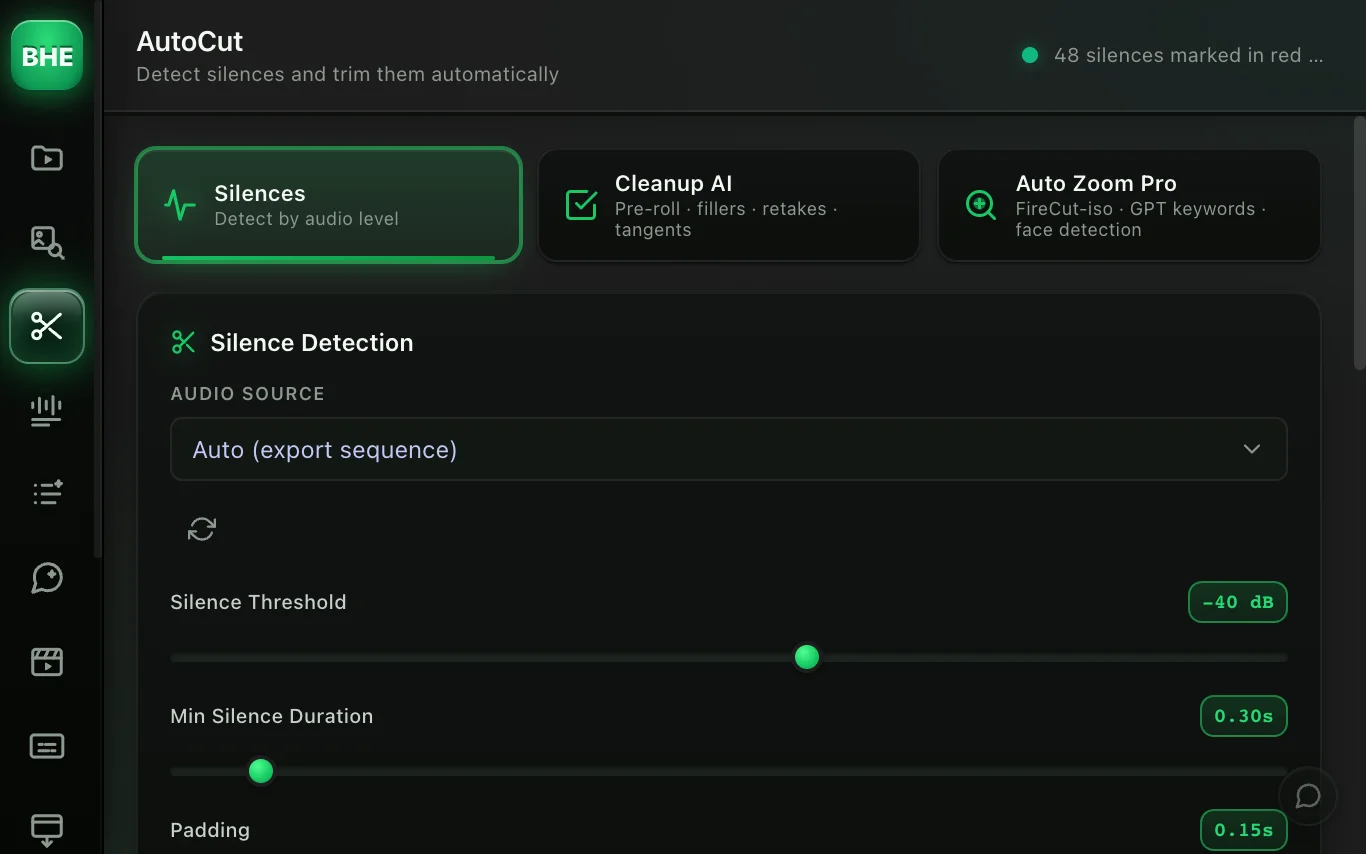
Three things Premiere leaves to plugins: animated words, automatic punch-ins, and silence cuts with a decibel threshold.
- Animated captions. More than fifty styles, word by word, in ProRes 4444 with transparency, placed on your timeline. See animated captions.
- Automatic zooms. Auto Zoom Pro triggers on audio curves by default, with no AI; face detection runs locally when you switch it on. See Auto-Zoom.
- Silences with a threshold. AutoCut sets the decibel threshold, minimum length and padding before it cuts.
What it costs (pricing):
- Free plan. 5 caption exports a month and Auto-Zoom, with no card.
- Essentiel. $15/month, or $12/month billed yearly.
- Pro trial. 14 days, card required, then $40/month unless you cancel.
Installation is four steps: see the installation guide.
Other plugins cover the same gaps. FireCut and AutoCut both do captions, silences and zooms1516.
We compared them in FireCut alternatives.
Stay on CapCut if…
Premiere is not an upgrade for everyone. Stay if one of these describes you:
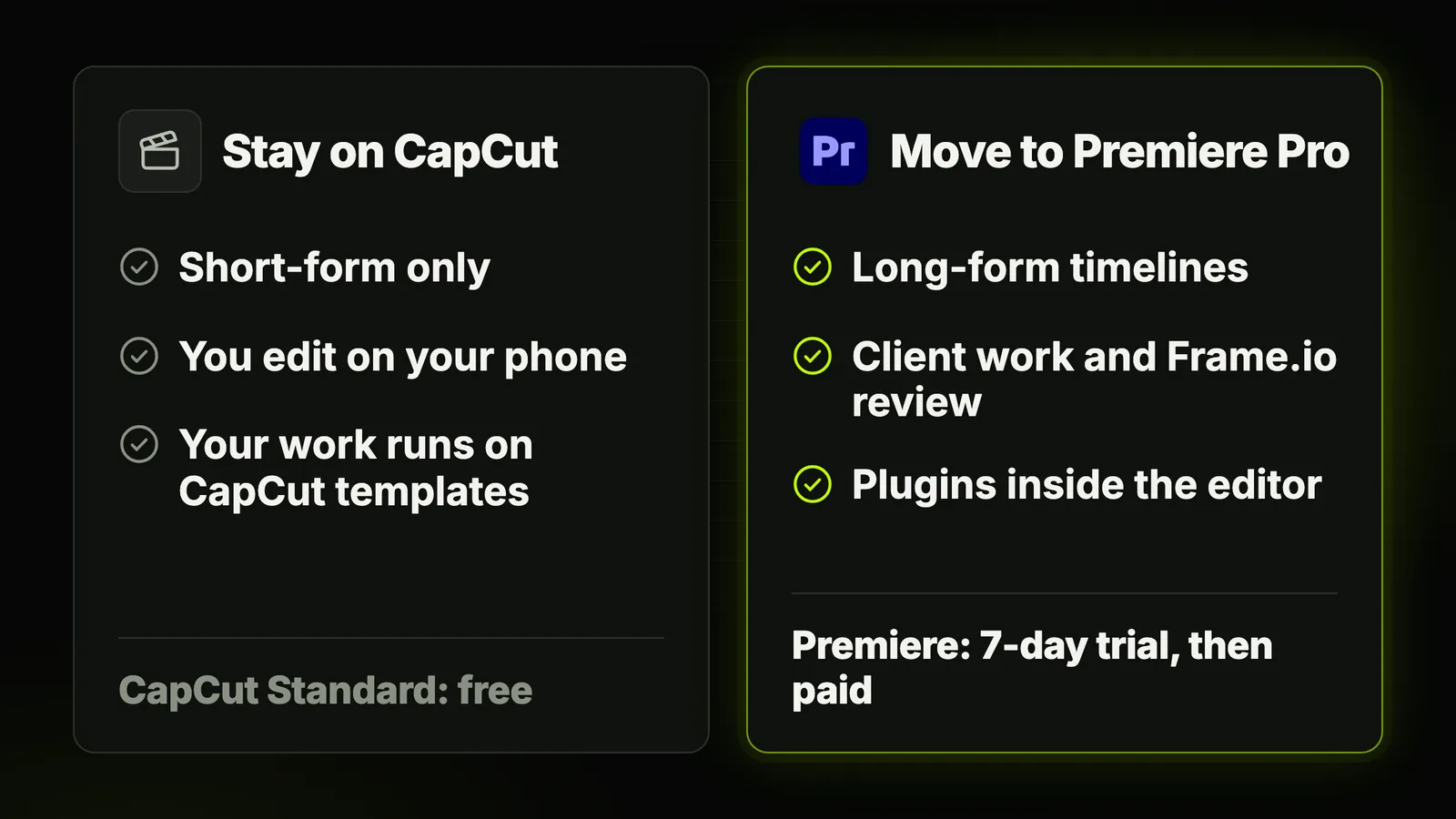
- You publish short-form only. Premiere's strengths show on long timelines and client work.
- Your phone is your edit suite. CapCut runs on phone, desktop and web.
- Your work is built on CapCut templates. Those templates live in CapCut.
- You want no subscription. CapCut Standard is free; Premiere desktop is not, after 7 days.
- You are in the middle of a project. Finish it in CapCut; moving a project to Premiere is not documented.
How to switch without losing a week
Six steps, in this order.
- Finish open projects in CapCut. CapCut's help documents no way to reopen them in Premiere.
- Keep the raw files and export masters. Rebuilding starts from the originals, the route CapCut's help describes.
- Start Premiere's 7-day trial with a real project ready. A week goes fast.
- Learn the four reflexes above. Captions, pauses, reframe, zoom.
- Cut first, caption last. Captions made before the cut drift out of sync.
- Add one plugin, for the gap you actually feel. The AI plugin comparison sorts them by job.
Grabbing clips from TikTok or YouTube? Read downloading videos into Premiere Pro.
The short version
- Stay on CapCut for fast, solo, phone-first short-form.
- Move to Premiere for long-form, clients, plugins and review, at US$22.99 a month.
- Your four reflexes exist natively Single Word captions, the Pauses filter, Auto Reframe, Scale keyframes.
Three things still need a plugin: animated words, automatic punch-ins and silence cuts by decibel threshold.
Test one on your hardest clip, then read the guide to automatic subtitles in Premiere Pro.
Frequently asked questions
Can I open a CapCut project in Premiere Pro?
Not according to CapCut's help centre, January 2026.
It says it does not support importing or exporting project files from other editors, Premiere included.
Its workarounds, written for the reverse move, work here too: a rendered video, or a rebuild from the originals.
Is Premiere Pro more expensive than CapCut?
At list price, Premiere costs US$22.99 a month on an annual plan. CapCut Pro shows $19.99 a month, or $179.99 a year, on its page.
CapCut's price varies by country and platform, so compare in the app.
Does Premiere Pro have auto captions like CapCut?
Yes. Transcribe the sequence, then create captions from the transcript.
Since 26.3, the Single Word layout shows one word at a time. Per-word animation styles need a plugin.
Can Premiere Pro remove pauses automatically?
Yes, through Text-Based Editing: filter the transcript for Pauses, then Delete all.
It works from the transcript, so there is no decibel threshold.
Is there a free version of Premiere Pro?
The desktop app has a 7-day free trial.
The Premiere mobile app is free on iPhone and Android. Its generative features use paid Firefly credits.
Is Premiere Pro good for TikTok and Shorts?
Yes. Auto Reframe makes a 9:16 copy of your sequence, and Single Word captions cover the one-word look.
For CapCut-style animated words, add a caption plugin.
Sources 16 links
- capcut.com/resource/capcut-standard-vs-pro
- adobe.com/products/premiere/plans.html
- helpx.adobe.com/premiere/mobile/get-started/common-questions.htmlAdobe mobile FAQ
- capcut.com/help/how-to-export-pro-projectCapCut help, January 2026
- capcut.com/tools/filler-words
- capcut.com/tools/auto-caption-generator
- helpx.adobe.com/premiere/desktop/add-text-images/insert-captions/create-sinAdobe help
- preply.com/en/blog/america-still-obsessed-subtitlesMay 2023
- capcut.com/resource/filler-words-meaningCapCut, May 2025
- helpx.adobe.com/premiere/desktop/edit-projects/edit-video-using-text-based-Adobe help
- capcut.com/tools/auto-reframe
- helpx.adobe.com/premiere/desktop/add-video-effects/commonly-used-effects/adAdobe help
- capcut.com/resource/how-to-zoom-in-on-videoCapCut, February 2026
- helpx.adobe.com/premiere/desktop/add-video-effects/commonly-used-effects/apAdobe help
- firecut.ai/pricing/premiere-pro
- autocut.com