📸
Screenshot or scroll video
A full-page screenshot in one click, or a scroll video that captures the site scrolling frame by frame as JPEG, then encodes to MP4 through ffmpeg.
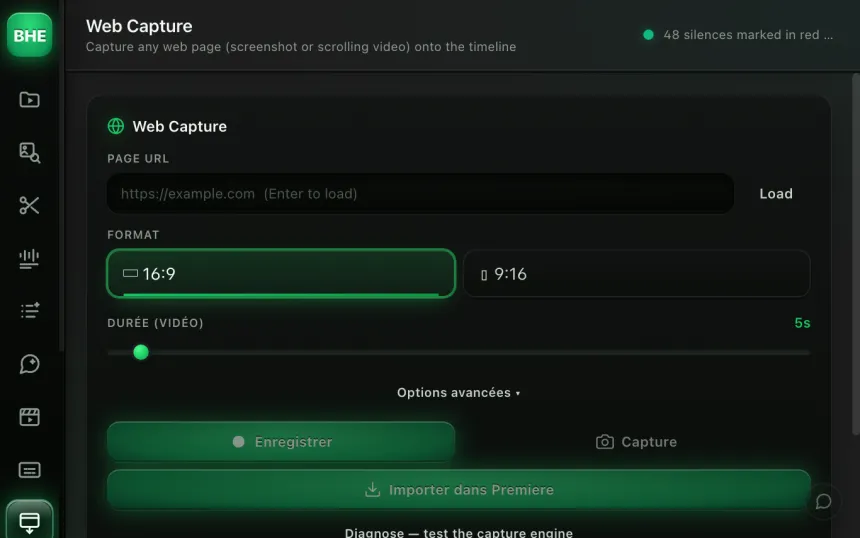
Web Capture launches headless Chrome, captures a screenshot or a scroll video of any URL, dismisses the cookies automatically, and imports the clip straight onto your timeline.
macOS · Premiere Pro 2025+ · Windows in closed beta · 14-day trial
Three reasons editors capture with Web Capture.
A full-page screenshot in one click, or a scroll video that captures the site scrolling frame by frame as JPEG, then encodes to MP4 through ffmpeg.
70+ CSS selectors target the most common cookie banners and close them automatically before the capture. No popup in your clip.
Patches on the webdriver flag, plugins array, chrome object, permissions and WebGL. The page loads as in a normal Chrome; a site protected against bots can still block the capture.
Any public URL. The headless browser loads the page with the stealth patches on and dismisses the cookies automatically.
Screenshot: an instant full-page capture. Scroll video: the plugin scrolls the page, captures each frame as JPEG, and encodes it all to MP4 through ffmpeg.
The image or video is imported into your Premiere project and placed at the playhead. You carry on editing without having left the panel.
Modern sites detect automated browsers through several signals: the navigator.webdriver flag, missing plugins, the missing chrome object, Notification permissions, and WebGL fingerprints. Web Capture patches each of these before the page loads so the site sees a standard Chrome.
Limit: a site protected against bots (CAPTCHA challenge) can still block the capture.
In video mode, the plugin scrolls the page in steps, captures each position as a high-quality JPEG, then assembles all the frames into an MP4 through ffmpeg. The image preloader first scrolls the whole page to force lazy-loaded images to load before the final capture.
Lazy-load: images that only load on scroll are preloaded automatically. No blurry placeholder in your video.
Most public URLs, yes. Sites that require a login are not supported, and a site protected against bots can block the capture.
The plugin uses puppeteer-core, which relies on your existing Chrome install. No extra browser to download.
No. 70+ CSS selectors target the most common banners (OneTrust, CookieBot, Didomi, generic GDPR, and so on) and close them before the capture. A rare banner can still slip through.
Every frame is captured as a high-quality JPEG, then encoded to MP4 through ffmpeg. The resolution matches the configured viewport (1920x1080 by default).
Yes. Before the capture, a preloader scrolls the whole page to trigger every lazy-loaded image. No gray or blurry placeholder in the final result.
Web Capture is one of 13 tools (plus 10 micro-tools) in the panel. Have a look at the others.
Try Web Capture free for 14 days. Card required · cancel online anytime from your account.
Start the free trial →Cancel online anytime from your account · Email support