🎨
AI concept art
gpt-image-1 generates 1 to 4 variants at 1792x1024. Pick your palette, your BrandKit style, your model. Live prompt preview before generating.
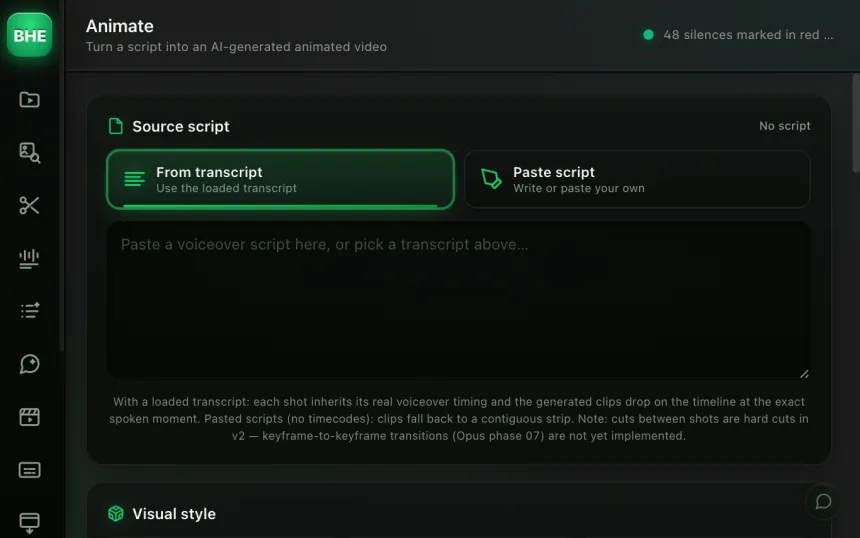
Motion Design Studio generates AI visual concepts (1 to 4 variants) and animates them automatically through Kling 3.0. You click "Design", pick your style, the AI generates, you click "Animate & place" and it is on your timeline.
macOS · Premiere Pro 2025+ · Windows in closed beta · 14-day trial
Three reasons editors adopt Motion Design Studio.
gpt-image-1 generates 1 to 4 variants at 1792x1024. Pick your palette, your BrandKit style, your model. Live prompt preview before generating.
One click on "Animate & place": the concept is saved as PNG, uploaded, submitted to Kling 2.6 or 3.0, then the animated clip is downloaded and placed at the marker's timecode.
Generates N variations per motion moment. A gallery lets you pick the best concepts. Animate everything in one batch.
Pick your BrandKit palette and style, the image model (gpt-image-1), the number of concepts (1 to 4). A prompt preview shows live.
"Generate frame" creates the variants at 1792x1024. You can also use img2img with a reference image and AI-vision style extraction.
The chosen concept is saved as PNG, uploaded, submitted to Kling for image-to-video animation. The animated clip is downloaded and placed at the marker's timecode.
Each motion marker in your timeline stands for a moment where you want a generated visual. The full workflow: click "Design", pick the BrandKit palette/style, the model and the number of concepts, live prompt preview, "Generate frame" through gpt-image-1 (1792x1024). To go further: img2img with a reference image and AI-vision style extraction.
"Animate & place": PNG save, upload to KIE, i2v submission (Kling 2.6/3.0), polling, download, import at the timecode. All chained automatically.
Analysia is Motion Design Studio's batch mode. It generates N variations per motion moment and shows them in a gallery where you pick the best. Then you launch the animation in batch: every selected concept is animated and placed on the timeline in a single operation.
Ideal for: testing several visual directions quickly, producing A/B variants for the same moment, or generating all the motion design of a video at once.
Yes, image generation uses gpt-image-1 through your OpenAI account. Animation through Kling needs a KIE account. Both keys are set once in the plugin settings.
Kling 3.0 produces smoother animations, more faithful to the source image. The plugin lets you choose the version. Cost and generation time vary by model.
Yes. img2img mode accepts a reference image. AI vision extracts the image's style to guide the generation. You keep control of the prompt.
Generating a concept takes 10 to 20 seconds. The Kling animation takes 1 to 3 minutes depending on the model and the queue. The plugin polls automatically and places the clip as soon as it is ready.
The BrandKit is a set of color palettes and visual styles you define once. Every generation respects those constraints, for visual consistency across your whole video.
Motion Design Studio is one of 13 tools (plus 10 micro-tools) in the panel. Have a look at the others.
Try Motion Design Studio free for 14 days. Card required · cancel online anytime from your account.
Start the free trial →Cancel online anytime from your account · Email support