




In short
The best caption plugin for Premiere Pro depends on the job. Premiere's own captions are free and show one word at a time since 26.3, but do not animate each word. For animated captions: PremiereCopilot's free plan (four a day), Caption Plug ($14.99 once), SubMachine ($8 a month), Captioneer for custom MOGRTs, FireCut or AutoCut inside a full editing suite.
In this article · 7 sections
I build Black Hat Editor Tools, one of the tools ranked here. It is not first, and its weak spot is written as plainly as the others'.
How were these caption plugins ranked?
Not by a single score. The order runs from free and simple to broad and bundled; each tool sits on the job it does best.
- Price of the cheapest plan that animates captions, in USD, as displayed on 29 September 2026.
- How you start for $0 a free plan, a free trial, or paying first with a refund window.
- Where the captions land a caption track, a MOGRT, image clips or a rendered video. That decides what fixing a typo costs.
- What it needs the Premiere version, and other apps it runs in.
a benchmark. No tool was run on the same clip; every fact comes from the vendor's pages.
"Not stated" means the page does not say. Caption X and Caption Plug publish rankings of their own; both say they wrote them, as we do here.
The ranking at a glance
Prices in USD, read on each vendor's page on 29 September 2026.
| Tool | Best for | Free entry | Price | Where the captions land |
|---|---|---|---|---|
| Premiere Pro, native | One word at a time, one style | Included with Premiere | Included | A caption track in your sequence |
| PremiereCopilot | Animated captions for $0 | Free plan, 4 a day, no card | Pro+ $7.99/month (40 a day) | "a PNG clip on your timeline, one per phrase" |
| Caption Plug | One-time purchase | None; 14-day refund | $14.99 once | Transparent PNG sequences, or a native caption track |
| SubMachine | MOGRT captions from $8 a month | 1-week trial | $8/month, $80/year or $150 once | MOGRTs |
| Captioneer | Custom MOGRT styles | 14-day trial, no payment | $15/month or $150 once | MOGRTs, editable in the timeline and Properties |
| Caption X | Most languages claimed | 5 caption generations, no card | $13.95/month or $139/year | On the timeline; format not stated on its product pages |
| Black Hat Editor Tools | Rendered styles with alpha | Free plan, 5 exports a month, no card | $15/month, or $12/month billed annually | One ProRes 4444 file with alpha, on its own track |
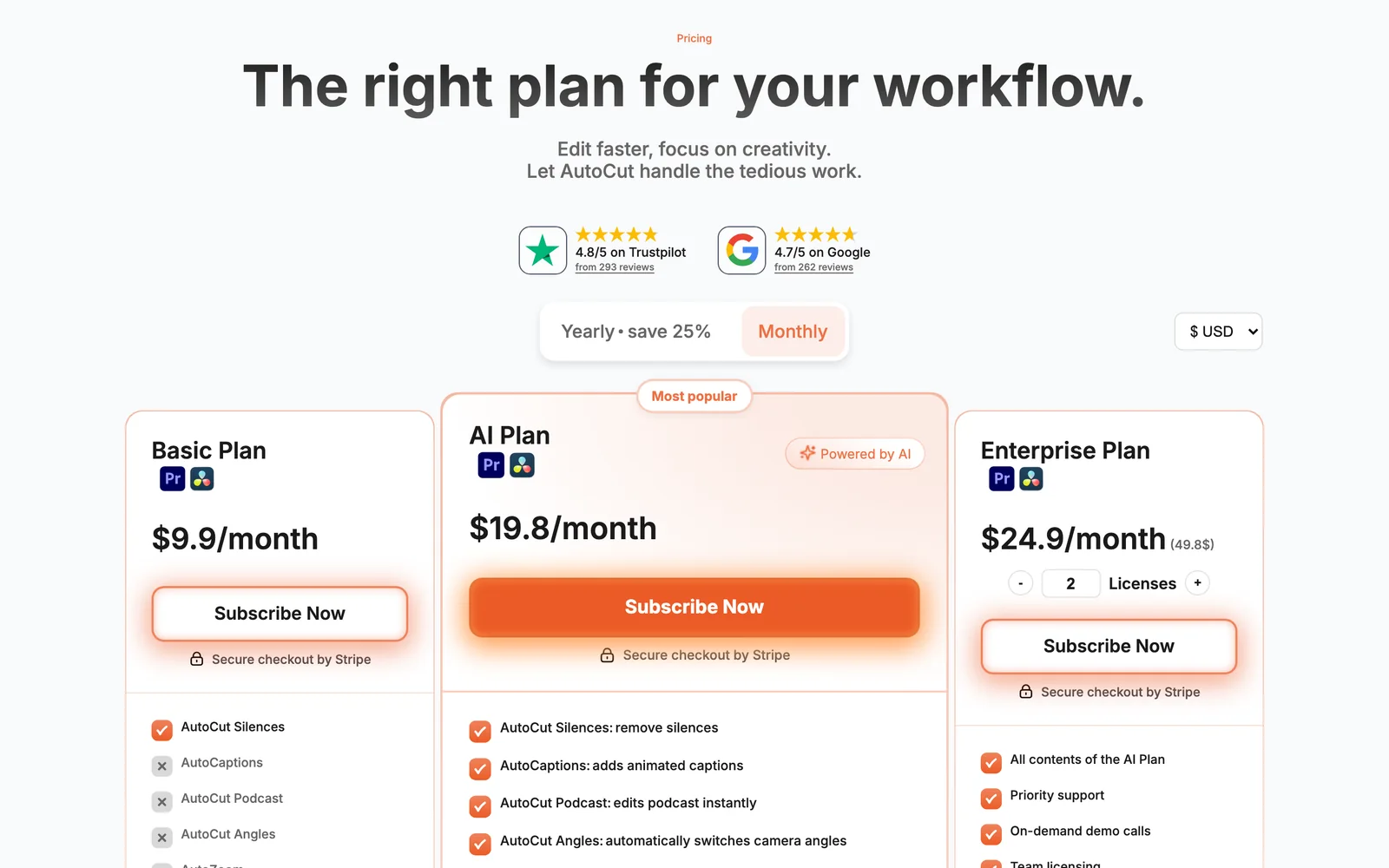
| AutoCut | A suite that also runs in DaVinci Resolve | 14-day trial, no card | $19.80/month, or $14.90/month billed annually | On the timeline; format not stated |
| FireCut | Captions inside a full editing suite | 7-day trial | $34/month, or $20/month billed annually | Images, not MOGRTs |
| Submagic (web app) | Finishing outside Premiere | Free to try, no card | $19/month, or $12/month billed annually | A finished video file |
The best caption plugins for Premiere Pro, ranked
1. Premiere Pro's own captionsbest if one style per track is enough
Premiere 26.3 (June 2026) added single-word captions: "Simply choose Single Word when creating captions, and Premiere automatically synchronizes each word to your audio"1.
- Included transcription comes with the subscription.
- In Adobe's words "animated captions that display one word at a time", with "the same styling tools as standard captions"10.
- What is missing animating each word. No pop, karaoke fill or colour per word; one style for the whole track.
- To go further upgrading the captions to graphics turns each one into a graphic layer you can animate.
- Step by step our guide to automatic subtitles in Premiere Pro.
2. PremiereCopilot Smart Captionsthe free way to animate
The free plan is "Free to use, no credit card"2. It runs in Premiere 2022 and newer.
- Free 4 Smart Captions a day.
- Pro+ 40 a day for $7.99/month, 20% less billed annually.
- Output "Each caption lands as a PNG clip on your timeline, one per phrase"; you can "re-render only the captions you tweaked"11.
- Claims the same page also calls them "native, editable Premiere title clips", and announces 99 languages.
price. Four caption runs a day cost nothing and need no card.
volume and styling depth, once four a day is not enough.
3. Caption Plugbest one-time purchase
Caption Plug costs "$14.99 once" and runs in Premiere Pro 2020 (v14) or newer3.
- In the box 45 animated caption presets, 8 title presets, 62 fonts, SRT export, 3 of your own machines.
- Transcription a bundled local Whisper model; OpenAI and Groq keys are optional.
- Output "transparent PNG sequences", or "a native editable caption track if you prefer"12.
- No free trial its "risk-free" 14 days are a refund if you reply to your receipt within 14 days.
4. SubMachineMOGRT captions from $8 a month
SubMachine starts "at only $8/month with a free week trial, or buy a lifetime license for $150 flat"4. The yearly plan is $8013.
- Transcription "the transcription tools you're already paying for", meaning Premiere's own.
- Output Motion Graphics Templates, in seven styles from Karaoke to Dynamo.
- Needs Premiere Pro 2023 or newer; its page warns that Premiere 24.2 and 24.2.1 have bugs that stop it working.
5. Captioneerbest for custom MOGRT styles
Captioneer is $15/month or $150 for a lifetime licence, with a 14-day trial and "No payment required"5.
- Styles "15+ caption styles (.mogrts)", plus MOGRTs from any marketplace or built in After Effects.
- Fixing a typo "Edit captions directly in the timeline and Properties panels."
- Needs "Adobe CC 2025 and up", on Windows or macOS. It also works in After Effects.
6. Caption Xthe widest language claim
Caption X claims 100 languages and has a free plan of 5 caption generations, with no card14.
- Prices Pro $13.95/month or $139/year, Pro+ $79/month, lifetime $399, per its pricing page's own product data6.
- Styles "8 of the most popular, trending caption styles".
- Needs "developed and tested on Adobe Premiere Pro 2026 and later".
- Output its blog calls its captions "native, editable text tracks"15.
7. Black Hat Editor Toolsrendered styles with alpha, in a wider panel (mine)
Transcription runs inside Premiere, on a local model in the free plan; the captions start from that transcript.
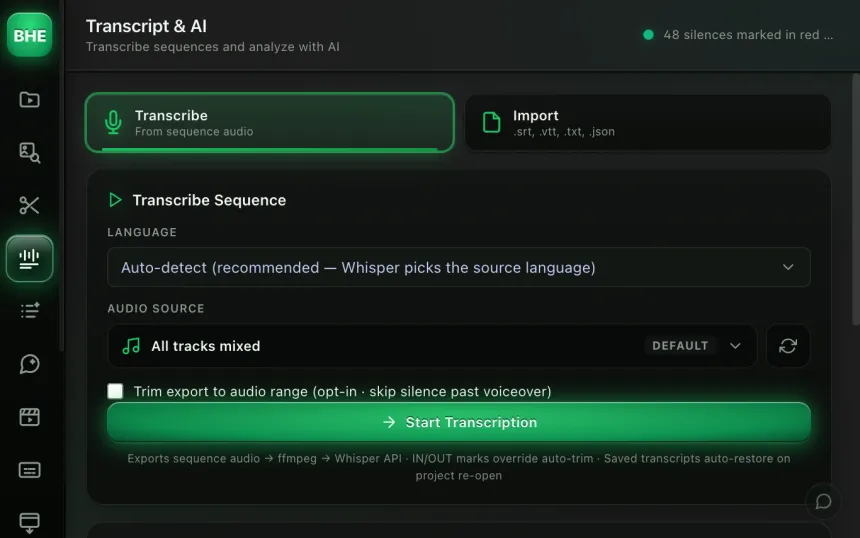
Our caption tool offers more than fifty styles, word by word. They render as ProRes 4444 with an alpha channel, on their own track above your video.
- Styling three colour slots with an eyedropper that samples your frame; font, size, position, stroke, shadow, emoji per chunk.
- Preview three seconds, to judge a style before the full render.
- Transcript comes from the panel's Transcript AI tab.
- Plans 5 caption exports a month free, no card; unlimited from Essentiel, $15/month or $12/month billed annually (pricing).
a render is not text. A typo spotted afterwards means rendering again.
the caption render sits in the same panel as silence cutting, zooms and B-roll.
The 14-day Pro trial requires a card and continues at $40/month unless you cancel. The path, from the captions guide:
Window > Extensions > Black Hat Editor Tools › Subtitles tab › Generate
8. AutoCuta suite that also runs in DaVinci Resolve
AutoCaptions is in AutoCut's AI plan, $19.80/month or $14.90/month billed annually, with nine other tools7.
- Captions 80+ languages, automatic emojis, community presets16.
- Trial 14 days, all ten AI features, "with no credit card required".
- Apps Premiere Pro and DaVinci Resolve. Our AutoCut alternatives comparison goes module by module.
9. FireCutcaptions inside a full editing suite
FireCut's Pro plan for Premiere is $34/month or $20/month billed annually, with a 7-day trial8.
- Captions "Captions in 50+ languages with emojis"; 5 caption presets on Pro, unlimited on Max.
- Limits 25 hours of processing a month, shared across features.
- Output images rather than MOGRTs, which FireCut says keeps the timeline fast. To change one, you use "Edit selected captions"17.
- Needs Premiere Pro 2022 or newer. Our FireCut alternatives comparison covers the rest of the suite.
10. Submagicif you finish outside Premiere
Submagic is a browser app, not a plugin, and you get back a finished video9.
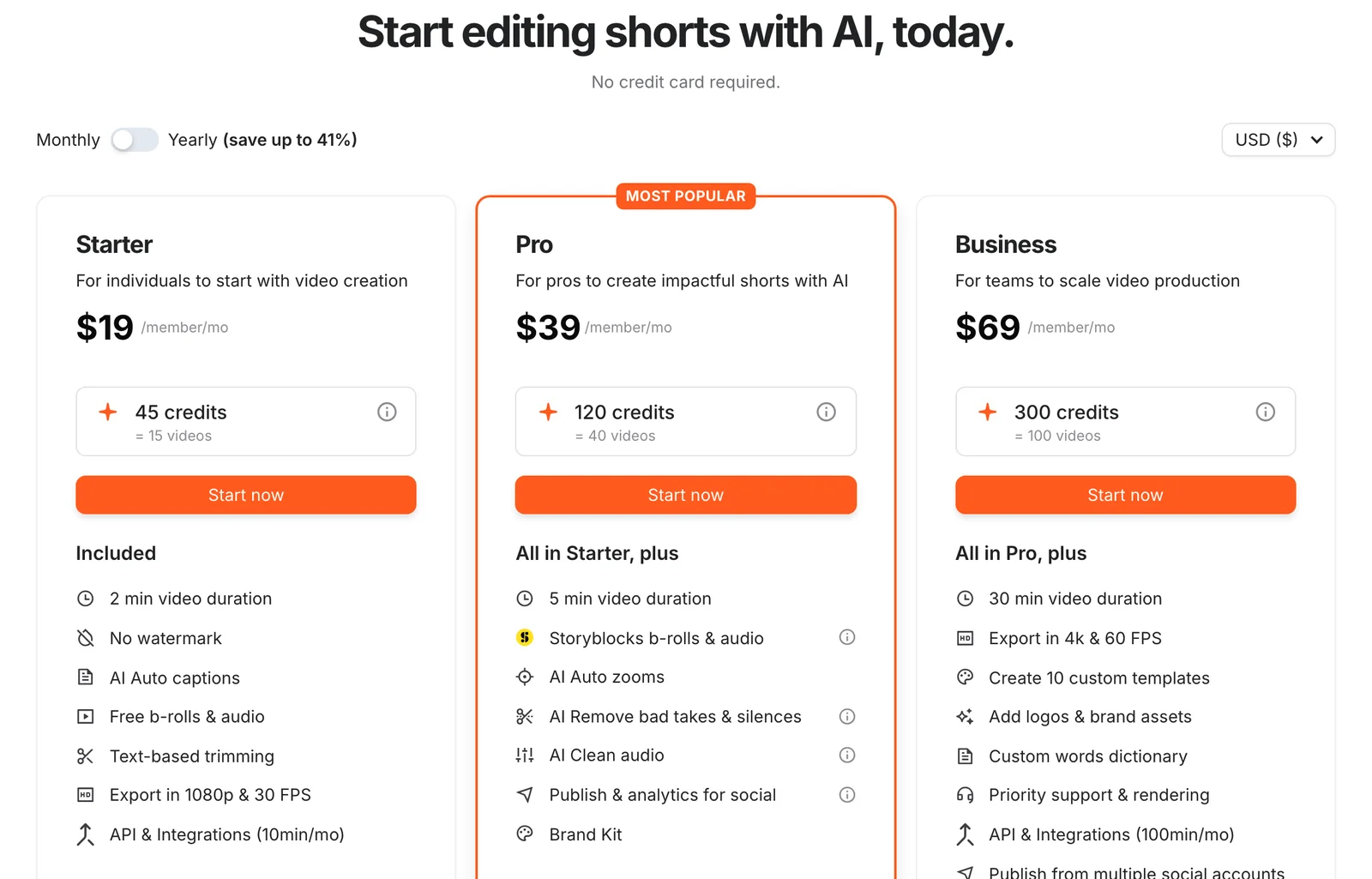
- Starter $19/month or $12/month billed annually, 15 videos of up to 2 minutes.
- Pro $39/month or $23/month billed annually, 40 videos of up to 5 minutes.
- Corrections a late fix means another export and upload; see our comparison of Submagic alternatives.
Can you get a caption plugin for Premiere Pro for free?
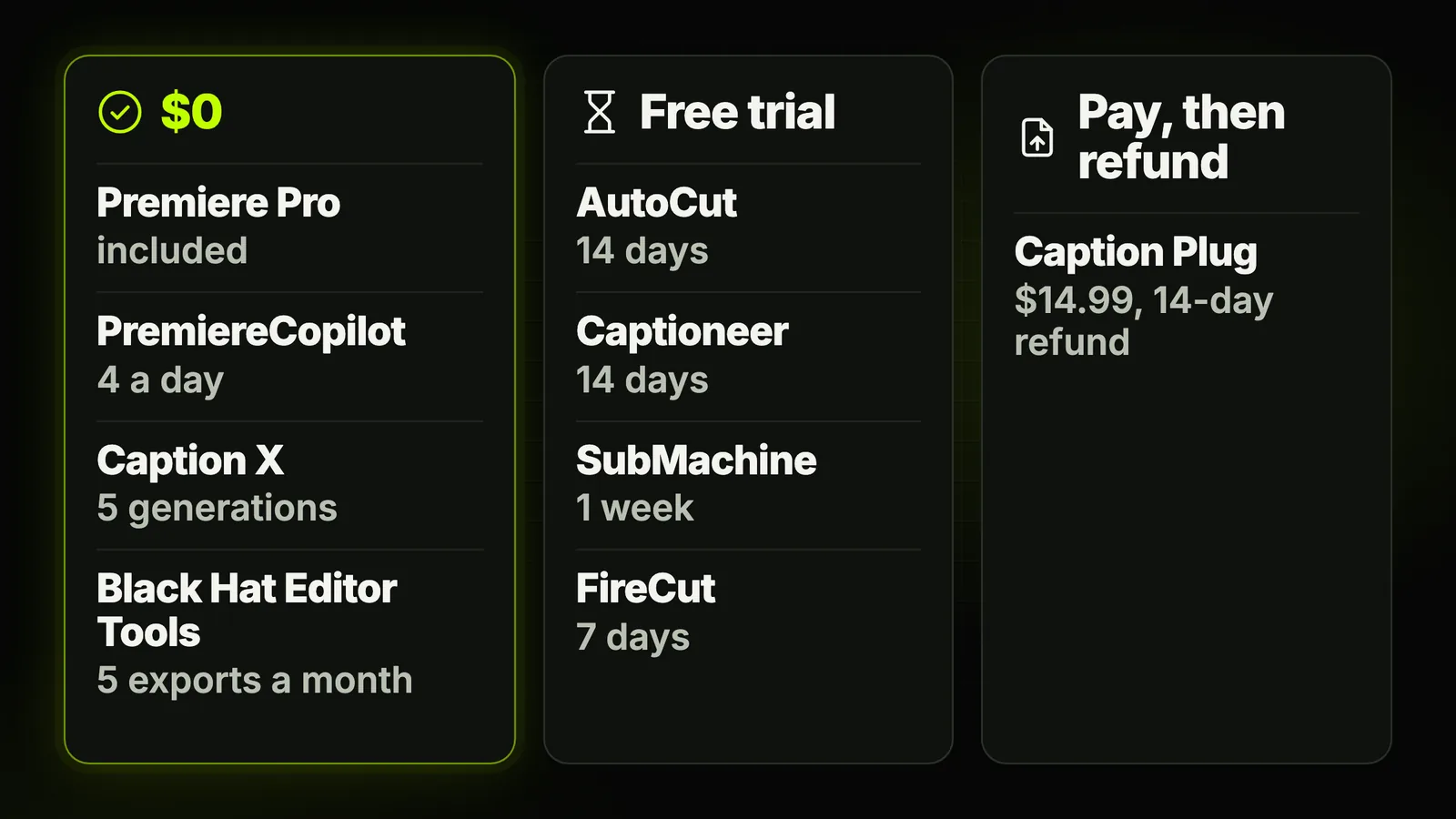
Yes, four ways cost nothing, with different limits. The rest offer a trial, or a refund window after you pay.
| Tool | $0 option | Trial | Card to start |
|---|---|---|---|
| Premiere Pro, native | Included with Premiere | Not needed | Not needed |
| PremiereCopilot | Free plan, 4 Smart Captions a day | None | No |
| Caption X | Free plan, 5 caption generations | None | No |
| Black Hat Editor Tools | Free plan, 5 caption exports a month | 14-day Pro trial | Free plan: no · trial: yes |
| AutoCut | None | 14 days | No |
| Captioneer | None | 14 days | No |
| SubMachine | None | 1 week | Not stated |
| FireCut | None | 7 days | Not stated |
| Caption Plug | None | None; 14-day refund | You pay $14.99 first |
Sources: the vendor pages listed under the ranking table, read on 29 September 2026.
Ours installs in four steps, listed on the plugin installation page, and opens from Window > Extensions.
MOGRT, images or a rendered file: which caption output is better?
None wins everywhere. Each output trades editing comfort against playback, and the vendors say so about each other.
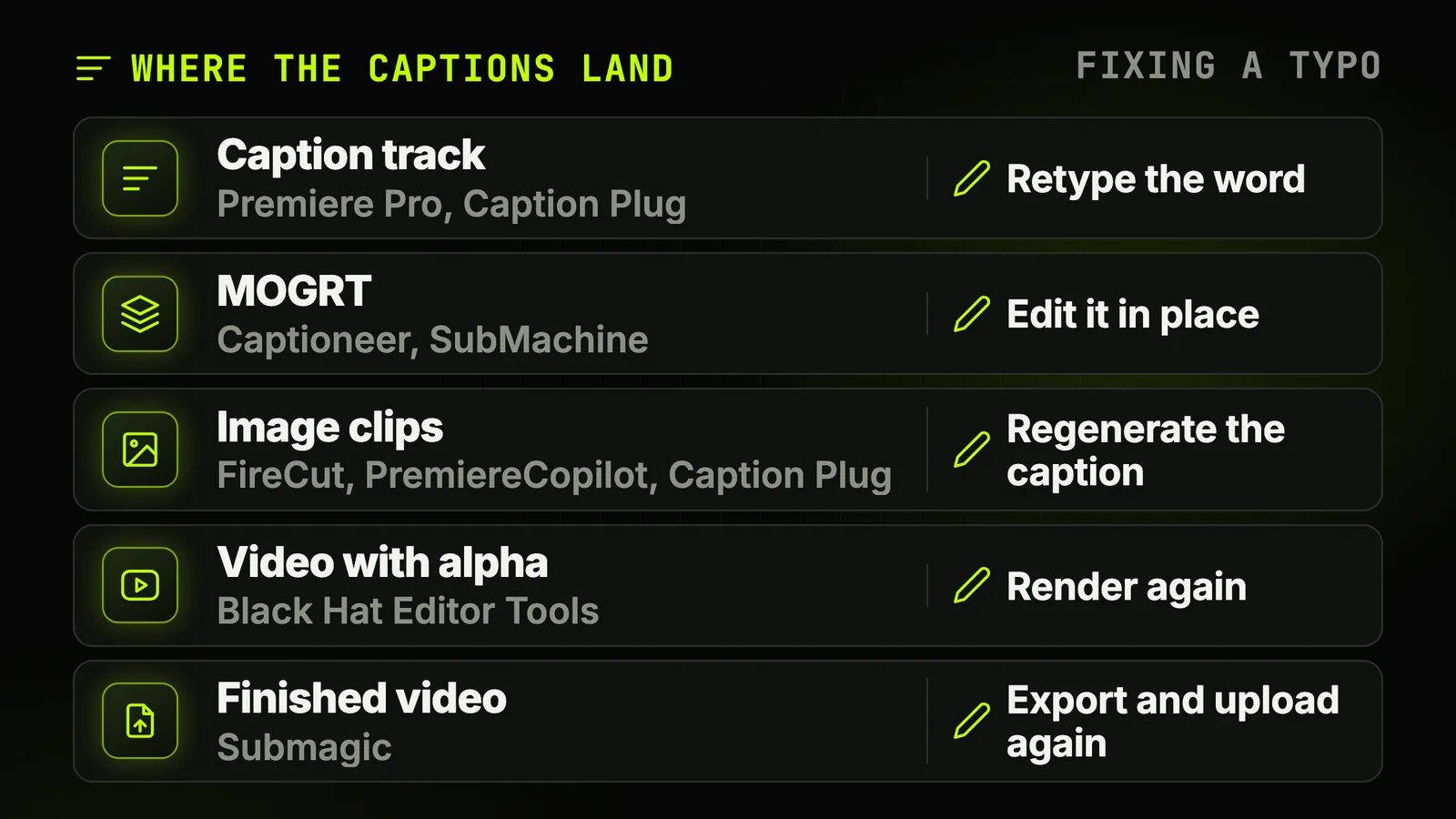
- A caption track (Premiere, Caption Plug's native mode). You retype a word in place and export an SRT. No per-word animation.
- MOGRTs (Captioneer, SubMachine). Animated and editable in place. FireCut's page argues that MOGRTs "slow down your whole timeline and require preview rendering".
- Image clips (FireCut, PremiereCopilot, Caption Plug's rendered mode). Light to play back; to change a word, you regenerate the captions you touched.
- A video with alpha (Black Hat Editor Tools). One file on its own track; fix the words before rendering, or render again.
- A finished video (Submagic). Every change means another export and upload.
Which caption plugin should you pick?
Start from what you actually do every week.
- Your captions only need to be readable. Premiere's own captions. $0.
- You want animation and pay nothing. PremiereCopilot's free plan, as long as four a day is enough.
- You refuse subscriptions. Caption Plug at $14.99, or a lifetime licence: SubMachine or Captioneer at $150, Caption X at $399.
- You design your own looks in After Effects. Captioneer, or SubMachine.
- You caption in several languages. Check the vendor's list first: Caption X claims 100, PremiereCopilot 99, AutoCut 80+, FireCut 50+.
- You also cut silences, zoom and add B-roll. A suite: FireCut, AutoCut or our panel, compared in our review of AI plugins for Premiere Pro.
- You finish in the browser. Submagic.
The short version
Try Premiere's own captions before paying anyone: since 26.3 they can show one word at a time, and they are free.
For animation, choose by how you fix mistakes and how you like to pay, then test on your worst audio.
Frequently asked questions
What is the best caption plugin for Premiere Pro in 2026?
There is no single winner. One word at a time with one style: Premiere's own. Animated captions for $0: PremiereCopilot's free plan, four a day.
To pay once: Caption Plug at $14.99. Custom MOGRT styles: Captioneer. Inside a full editing suite: FireCut or AutoCut.
Is there a free caption plugin for Premiere Pro?
Yes. With no card: PremiereCopilot gives 4 Smart Captions a day, Caption X 5 caption generations, Black Hat Editor Tools 5 caption exports a month.
Premiere Pro's own captions are also free with your subscription; they show one word at a time but do not animate each word.
Does Premiere Pro have automatic captions without a plugin?
Yes. Premiere transcribes speech and creates a caption track; since 26.3 (June 2026) it can split captions to single words synced to the audio.
It shows one word at a time, which Adobe calls animated captions, but does not animate each word: no pop, karaoke fill or colour per word. That is what the plugins add.
Which caption plugins for Premiere Pro have a lifetime licence?
Caption Plug is sold once, at $14.99. SubMachine and Captioneer each offer a $150 lifetime licence; Caption X lists one at $399.
FireCut quotes lifetime pricing on request. Prices checked on 29 September 2026.
Can I edit captions after a plugin puts them on the timeline?
It depends on the output. Caption tracks and MOGRTs let you retype a word in place.
Image-based captions (FireCut, PremiereCopilot) are regenerated for the ones you change. A rendered video with alpha, like ours, has to be rendered again.
Which caption plugins also work in DaVinci Resolve?
One AutoCut subscription covers Premiere Pro and DaVinci Resolve. FireCut sells a plan for each; its Team plan and lifetime licence include both.
Caption X also lists a DaVinci Resolve version. Submagic runs in the browser, and Caption X and Caption Plug also offer browser tools; the other plugins here work in Adobe apps only.
In what order should I cut, add transitions and caption?
Cut the silences first, then place transitions, then caption, so no later edit shifts the text.
Our guide to transitions in Premiere Pro explains why caption tracks belong above transition layers; the silence removal guide covers the first step.
Sources 17 links
- community.adobe.com/announcements-727/what-s-new-in-adobe-premiere-26-3-june-20
- premierecopilot.com/en/pricing
- captionplug.com/pricing
- submachine.ai
- captioneer.com
- caption-x.com/pricing
- autocut.com/en/pricing
- firecut.ai/pricing/premiere-pro
- submagic.co/pricing
- helpx.adobe.com/premiere/desktop/add-text-images/insert-captions/create-sinAdobe help
- premierecopilot.com/en/smart-captions
- captionplug.comCaption Plug
- cwsproducts.gumroad.com/l/axpoe
- caption-x.comCaption X
- caption-x.com/blog/best-caption-plugins-premiere-proCaption X blog
- autocut.com/en/autocaptions
- firecut.ai/features/captions