
In short
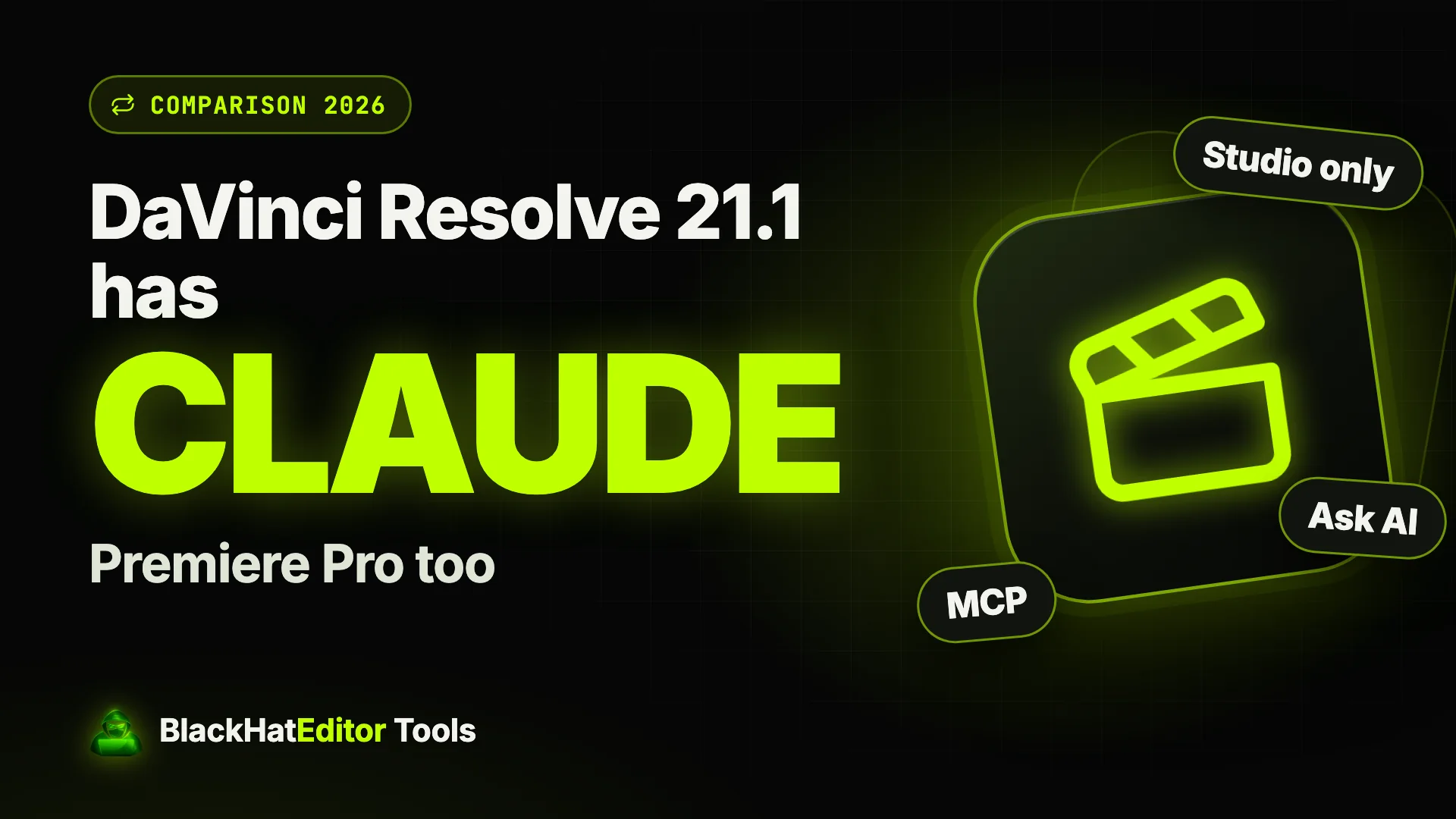
Yes: since DaVinci Resolve 21.1 (8 September 2026), Claude, Claude Code and Codex can drive Resolve through a built-in MCP server, in the paid Studio edition only. Claude stays in its own app. Adobe offers nothing like it inside Premiere Pro, but a plugin can: Ask AI runs Claude from the Premiere panel.
In this article · 9 sections
- What did DaVinci Resolve 21.1 actually add?
- Is Claude really "inside" Resolve?
- What does it cost, and what are the limits?
- Can you use Claude in Premiere Pro?
- How does Ask AI put Claude inside Premiere Pro?
- What can you ask it, in practice?
- Resolve Studio 21.1 vs Premiere Pro + Ask AI: which one?
- How do you set up Ask AI in Premiere Pro?
- In short
I build that Premiere plugin, Black Hat Editor Tools. This page also says where Resolve is better.
Checked on 2 October 2026: Blackmagic's release, the trade press, the plugin's code.
What did DaVinci Resolve 21.1 actually add?
A native MCP server. MCP is the open standard Anthropic published in 20241.
It lets an AI assistant call functions inside other software. Blackmagic's release lists2:
- Assistants. Claude, Claude Code and ChatGPT Codex.
- Named jobs. Analyze projects, organize media, adjust settings, batch render.
- Examples. Highlight edits from long videos, removing unwanted clips, rendering deliverables.
- Update price. Free for existing users.
CineD and Digital Production say so; Blackmagic's release doesn't3.
Is Claude really "inside" Resolve?
Not quite, and it matters when you compare with Premiere.
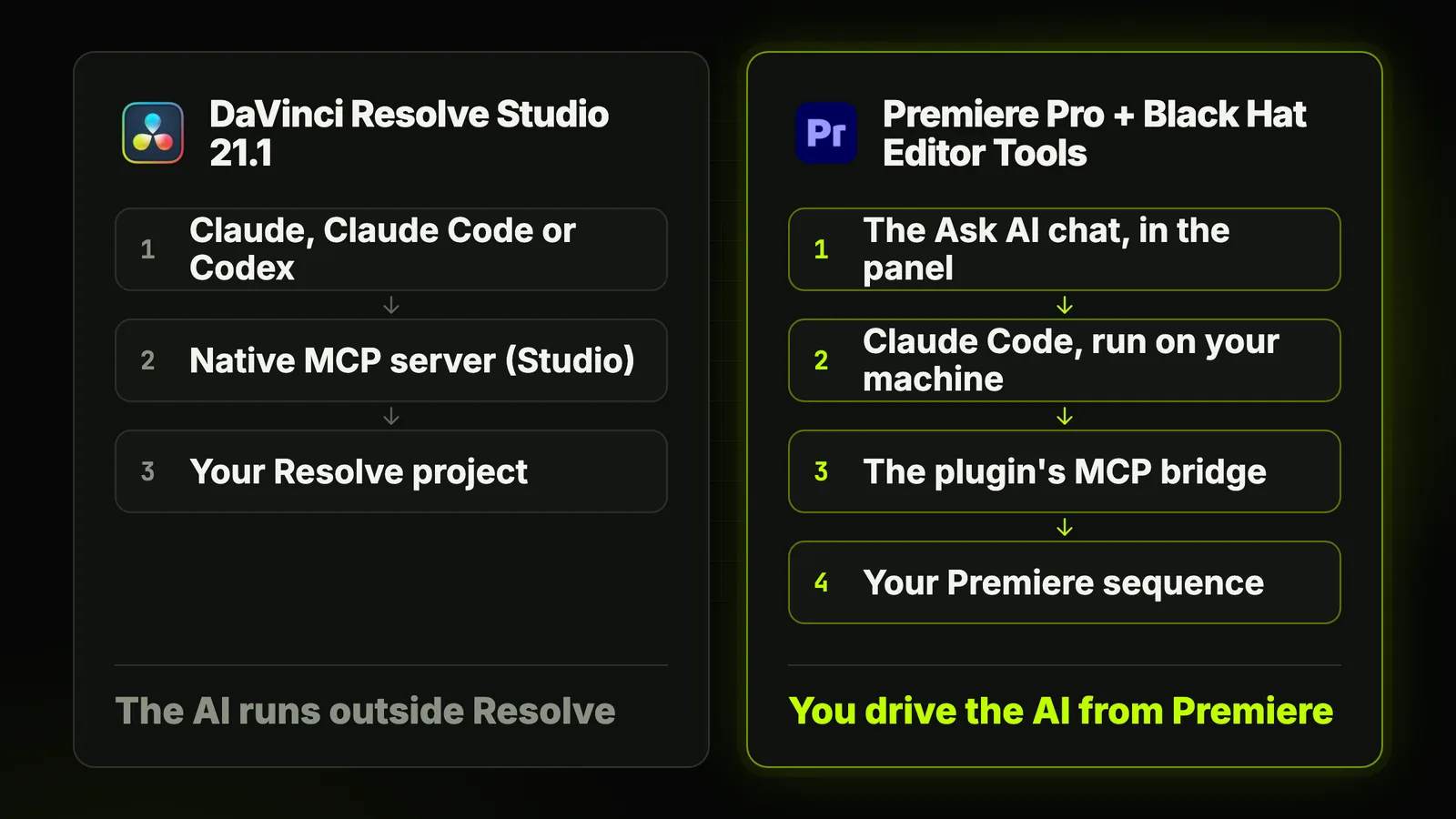
You type in Claude's app, Claude Code or Codex. Resolve answers through its MCP server.
You connect it from File > Setup AI Assistants4.
So Resolve can be driven by Claude. There's no Claude chat inside Resolve's interface.
What does it cost, and what are the limits?
Cheap to own, and nothing per month on Blackmagic's side.
| Item | What you get | Source |
|---|---|---|
| DaVinci Resolve (free) | No MCP server | CineD |
| DaVinci Resolve Studio | MCP server, $295 one-time | Blackmagic store page |
| Claude, Claude Code or Codex | Your own AI account, billed by Anthropic or OpenAI | Blackmagic release |
Three limits to know before you upgrade4:
- External Python scripting moved to Studio. Blackmagic says the free edition's API was used to unlock Studio features.
- Safeguards aren't documented. Nothing on permissions or destructive operations.
- Grading isn't mentioned. Blackmagic's examples are media, edits and renders.
Community MCP servers drove Resolve before 21.1. An April 2026 test called it "potential, not polish"6.
Can you use Claude in Premiere Pro?
Not from Adobe, inside the desktop app. Adobe's route works outside the app; two others plug into it.
Adobe for creativityAdobe's official connector
Launched on 28 April 2026, it brings Creative Cloud tools into Claude's chat7.
Adobe's example: upload a horizontal clip, ask for a Shorts or Reels version, download it.
The post doesn't describe controlling the desktop timeline.
premiere-pro-mcpa free, independent MCP server
An open-source (MIT) server that lets Claude drive Premiere through a small CEP plugin8.
It isn't affiliated with Adobe. You set it up yourself, then talk from Claude Desktop or Claude Code.
Black Hat Editor ToolsClaude in a Premiere panel
Our plugin goes the other way: the chat lives in Premiere.
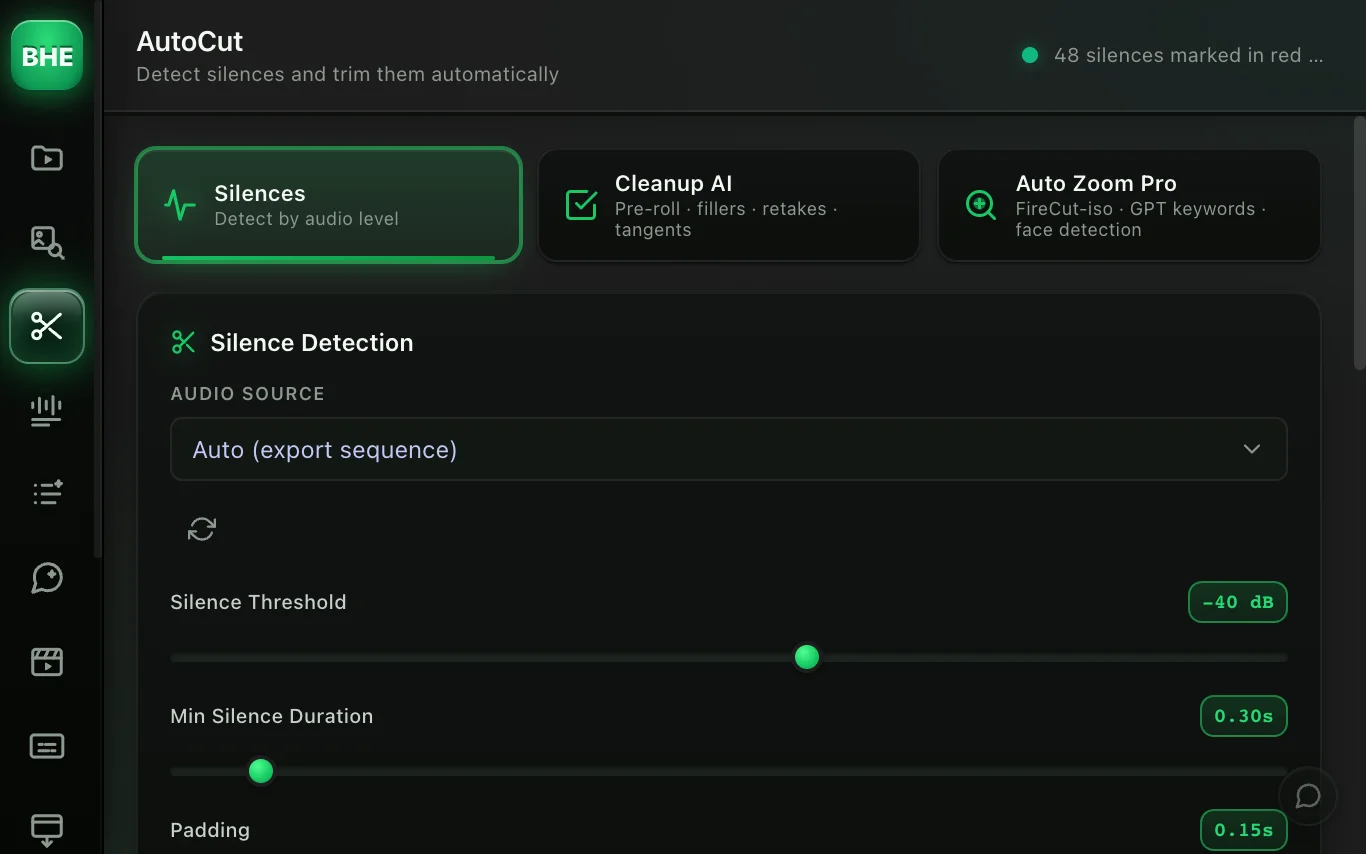
Claude Code runs behind it, on your machine. You never leave the timeline.
How does Ask AI put Claude inside Premiere Pro?
The Ask AI agent is a chat tab in the plugin panel.
In Act mode, it uses the plugin's tools on your active sequence.
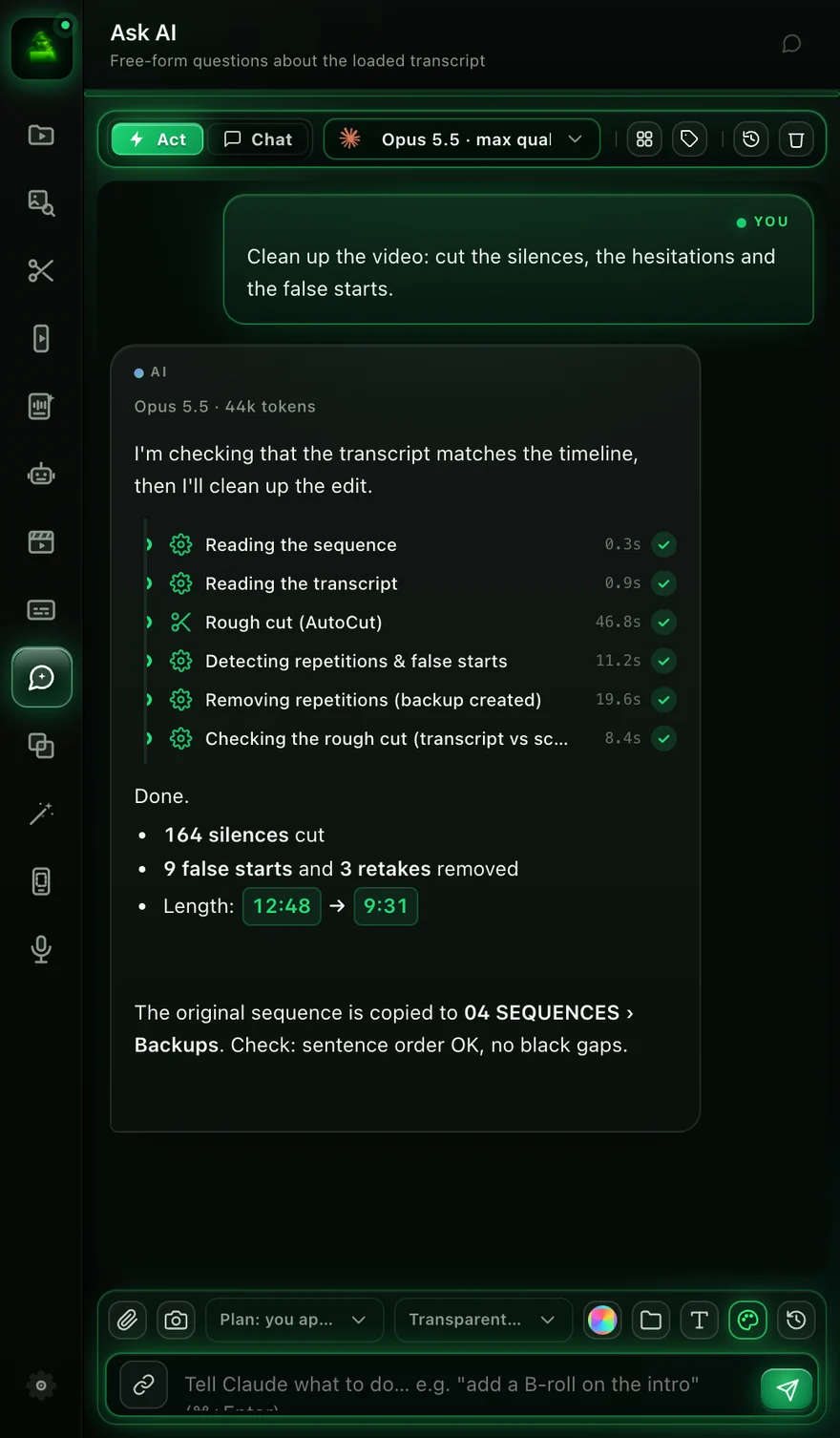
What happens under the hood, per the plugin's code:
- The plugin launches Claude Code on your machine. With your Claude account or your own API key.
- Claude Code only sees the plugin's bridge. Your other MCP servers and CLAUDE.md stay out.
- It calls the plugin's tools. Silences, captions, zooms, markers, B-roll, animations, sound.
- You pick the model in the chat header. Opus 5.5 is the default.
Write, Edit, Bash, web access and sub-agents are blocked by name.
paid AI generation shows an approval card first, with the estimated cost.
What can you ask it, in practice?
Type these in the Act tab. Each maps to a real plugin tool.
Cut the silences in the sequence.
Remove the false starts and retakes, keep the best take.
Add captions with my favorite style, 3 words max per card.
Add zooms on the key words, at 115%.
Put a whoosh on every shot change.
Animate the number "3 million" right when it is said.
What lands in Premiere:
- A tighter timeline. The original is kept in
04 SEQUENCES › Backups. - New tracks. Subtitles, SFX, Motion Design.
- Native keyframes. Zooms you can tweak in Effect Controls.
Silences alone? How to remove silences in Premiere Pro compares the native and plugin methods.
Resolve Studio 21.1 vs Premiere Pro + Ask AI: which one?
Same protocol underneath, different trade-offs on top.
| DaVinci Resolve Studio 21.1 | Premiere Pro + Black Hat Editor Tools | |
|---|---|---|
| Where you talk to Claude | In Claude, Claude Code or Codex, outside Resolve | In the Ask AI chat, inside the Premiere panel |
| Who built the connection | Blackmagic, natively | A third-party plugin |
| What you pay | $295 once for Studio | Premiere US$22.99/month + plugin from $15/month |
| Claude access | Your own account | Your own account, not included |
| Jobs named | Analyze, organize, settings, batch render, highlights, remove clips | Silences, retakes, captions, zooms, B-roll, animations, SFX |
| Guardrails documented | Not detailed by Blackmagic | Blocked tools listed, approval before spend, backups |
Sources259plugin pricing
one-time licence, built by Blackmagic itself, Codex supported.
Claude sits next to your timeline, with captions, zooms, animations and sound.
Choosing an editor from scratch? Don't let the AI connector decide alone.
Already cutting in Premiere? Switching for this feature costs you your projects and habits.
Coming from CapCut? Read switching from CapCut to Premiere Pro.
How do you set up Ask AI in Premiere Pro?
Five steps, about ten minutes the first time.
- Install the plugin. Follow the plugin installation guide, then
Window > Extensions > Black Hat Editor Tools. - Pick a plan with Ask AI. Essentiel at $15/month or Pro at $40/month; 14-day Pro trial, card required.
- Connect Claude. From the chat, one click installs Claude Code and connects your account.
- Transcribe the sequence. No transcript yet? The chat shows a button for it.
- Switch to Act and start small.
Cut the silences in the sequence.
Ask AI isn't in the free plan, and your Claude subscription isn't in ours (pricing).
Next, the animation side: Claude Opus 5.5 for motion design in Premiere Pro.
The whole field is compared in the best AI plugins for Premiere Pro.
In short
- Resolve 21.1 Claude drives Resolve Studio through a native MCP server. $295 once.
- Premiere, from Adobe a Claude connector for uploaded files, not the timeline.
- Premiere, with a plugin Ask AI puts Claude in the panel, on your sequence.
Already in Premiere? Try one request on a real rush: Cut the silences in the sequence.
Frequently asked questions
Does DaVinci Resolve have Claude built in?
Resolve Studio 21.1 has a built-in MCP server for Claude, Claude Code and Codex.
You still talk to Claude in its own app or terminal.
Does the free version of DaVinci Resolve work with Claude?
Not natively: the MCP server is Studio only, per CineD and Digital Production.
External Python scripting also moved to Studio. Studio costs $295, once.
Is there an official Claude integration for Premiere Pro?
Adobe's connector brings Premiere tools into Claude's chat, for files you upload.
It isn't described as controlling the desktop timeline.
Can Claude Code control Premiere Pro?
Yes, through MCP. Free servers like premiere-pro-mcp connect it.
Black Hat Editor Tools runs Claude Code for you, behind its Ask AI chat.
Do I need a Claude subscription for Ask AI?
Yes: a Claude account (Pro or Max) or your own Anthropic API key.
It isn't included in the plugin price.
Which Claude model does Ask AI use?
Opus 5.5 by default. Fable 5.1, Sonnet 5 and Haiku 4.5 are in the chat header.
Sources 9 links
- anthropic.com/news/model-context-protocol
- blackmagicdesign.com/media/partial/release/20260908-03Blackmagic Design, 8 September 2026
- cined.com/davinci-resolve-21-1-released-ai-assistant-integration-via-
- digitalproduction.com/2026/09/08/resolve-21-1-adds-mcp-and-finally-gets-presetsDigital Production, 8 September 2026
- blackmagicdesign.com/products/davinciresolve/studio
- wildlion.media/claude-davinci-resolveWildlion Media
- blog.adobe.com/en/publish/2026/04/28/adobe-for-creativity-connector
- github.com/leancoderkavy/premiere-pro-mcp
- adobe.com/products/premiere/plans.html